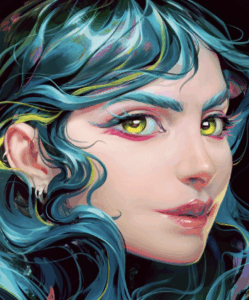
Digital Art is an artistic work or practice that uses digital technology as part of the creative or presentation process.
It is the umbrella term for the artistic output of the Computer Age. Unlike traditional art, which relies on physical substances (pigment, binder, stone), Digital Art relies on Data (binary code) processed by hardware and visualized through a display or a printer.
Here is a minute, detailed breakdown of the ecosystem of Digital Art.
1. The Fundamental Dichotomy: Raster vs. Vector
To understand digital art, you must understand the two ways computers handle images.
A. Raster (Bitmap) Graphics
This is the digital equivalent of Painting.
The Atom: The Pixel (Picture Element). The image is a grid of tiny colored squares.
Characteristics: It allows for complex color blending, soft shadows, and photographic detail.
The Limitation: It is Resolution Dependent. If you enlarge a raster image, the pixels get bigger, and the image becomes blocky (“pixelated”).
Software: Adobe Photoshop, Procreate, Corel Painter.
File Types: JPG, PNG, TIFF, PSD.
B. Vector Graphics
This is the digital equivalent of Drawing/Drafting.
The Atom: The Path. The image is defined by mathematical equations (vectors) consisting of points, lines, and curves (Bézier curves).
Characteristics: Solid blocks of color and clean, crisp lines.
The Superpower: It is Resolution Independent. You can scale a vector image from the size of a postage stamp to the size of a billboard, and the lines will remain perfectly sharp.
Software: Adobe Illustrator, Inkscape.
File Types: SVG, AI, EPS.
2. The Hardware: The Digital Canvas
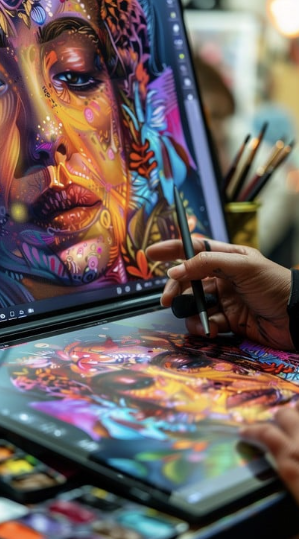
Digital artists do not use a mouse; they use specialized input devices to mimic the tactile feel of drawing.
Graphics Tablet (Pen Tablet): A plastic slate connected to the computer. You draw on the slate with a stylus, but you look at your computer monitor. It requires hand-eye coordination (drawing here, looking there).
Display Tablet (Cintiq): A monitor you can draw directly onto. This bridges the gap between traditional drawing and digital input.
The Stylus: The digital pen. It contains sensors for:
Pressure Sensitivity: Pressing harder makes the line thicker or more opaque (mimicking a brush).
Tilt Sensitivity: Angling the pen changes the shape of the stroke (mimicking shading with the side of a pencil).
3. Key Categories of Digital Art
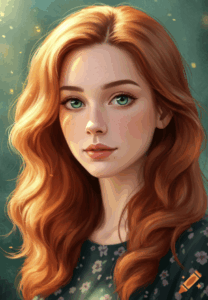
A. Digital Painting
The artist uses a stylus to apply virtual “paint” to a canvas.
Brushes: Software simulates the physics of real bristles. You can have a “Wet Oil” brush that smears colors together, or a “Dry Charcoal” brush that leaves a textured, grain-like mark.
Layers: The most powerful tool. The artist paints the background on one layer, the character on another, and the lighting on a third. This allows for non-destructive editing (you can erase the character without ruining the background).
B. 3D Modeling & Sculpting
The creation of objects in a virtual three-dimensional space (X, Y, and Z axes).
Polygonal Modeling: Building objects by manipulating Vertices (points), Edges (lines), and Faces (planes). Used for architecture and vehicles.
Digital Sculpting: Using software (like ZBrush) to push, pull, and smooth a “digital clay” ball with millions of polygons. Used for organic creatures and characters.
Rendering: The computer calculates how light hits the 3D object to generate a realistic 2D image (calculating shadows, reflections, and subsurface scattering).
C. Pixel Art
A nostalgic aesthetic that embraces the limitations of early computers (8-bit and 16-bit).
Technique: The artist places pixels individually, like a mosaic. It requires extreme precision to convey form with very few “tiles.”
D. Photo-Bashing | Matte Painting
Used heavily in the film and video game industry (Concept Art).
Technique: The artist combines photographs (textures of mountains, clouds, rusted metal) with digital painting to create realistic environments very quickly.
E. Algorithmic | Generative Art
The artist does not draw the image; the artist writes the Code.
Process: The artist writes a set of rules (an algorithm) in a language like Python or Processing. The computer executes the code to generate complex, often random, geometric patterns.
F. AI Art (Artificial Intelligence)
The newest frontier (e.g., Midjourney, DALL-E).
Process: The “artist” (prompter) inputs text descriptions. A neural network, trained on billions of images, synthesizes a new image based on statistical probability. This challenges the very definition of authorship.
4. The Output: How is it Sold?
For your marketplace, you need to know how digital art becomes a product.
1. Giclée Prints: High-quality archival inkjet prints. The digital file is printed onto fine art paper or canvas. This turns the digital file into a physical object.
2. Digital Downloads: Selling the high-resolution file itself for the customer to print or use as wallpaper.
3. NFTs (Non-Fungible Tokens): A crypto-asset on a blockchain that proves ownership of a unique digital item. This allows digital art to be “collected” and resold like an original oil painting, rather than just copied.
5. Common Terminology for SEO MUNIZ
DPI | PPI: Dots Per Inch | Pixels Per Inch. The density of information. (300 DPI is the standard for printing; 72 DPI is the standard for screens).
The transparency information in an image. (A PNG; a JPG).
RGB vs. CMYK:
RGB (Red, Green, Blue): Light-based color mode for screens. Brighter gamut.
CMYK (Cyan, Magenta, Yellow, Key | Black): Ink-based color mode for printers. More limited gamut.
Speed-Painting: A video recording (time-lapse) of the digital painting process, often used to market the art.
Traditional vs. Digital
Feature Traditional Art Digital Art
Mistakes Difficult to fix “Ctrl+Z” (Undo)
Materiality Tactile, smell, texture Virtual, smooth, light-based
Storage Takes up physical space Stored on hard drives
Reproduction One original Infinite perfect copies
Lighting Reflects light (subtractive) Emits light (additive)
We have now mapped the entire artistic universe.
History: Renaissance to Pop Art.
Traditional Mediums: Oil, Watercolor, Charcoal.
Craft: Marquetry, Stained Glass, Ceramics.
Modern: Digital Art, 3D, AI.
Route
Art Galerie Marketplace
Avenida Raja Gabaglia, 2000 - Sala 930 - Torre 01 - Estoril
Belo Horizonte, Minas Gerais 30.494-170 Brazil
Secondary phone: +55 31 99506-1099
Email: service@artgalerie.com.br
URL: https://artgalerie.com.br/
| Monday | Open 24 hours Open now |
| Tuesday | Open 24 hours |
| Wednesday | Open 24 hours |
| Thursday | Open 24 hours |
| Friday | Open 24 hours |
| Saturday | Open 24 hours |
| Sunday | Open 24 hours |